Simulation
Tips & Use
Moving The robot
Move the robot in teach mode
Click on the robot, a gizmo appear on the end effector of the robot
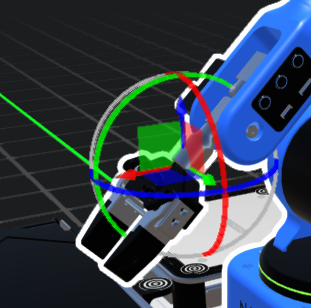
Grab and hold the gizmo to move the robot on the selected axe. If you select and single axe you will be able to make a linear movement on that axe only. If you select a plan you can displace on the XY plan
Quick move on Top of objects :
You can move the robot on top of an object by double-clicking on it. If the object is a vision workspace , it will put the robot in a suitable observation pose.