Presenter's guideline - WS2 : Conveyor & Sensor Integration
Step 3: Demonstrate the IR Sensor
Action:
-
Show the IR sensor setup on the conveyor.
-
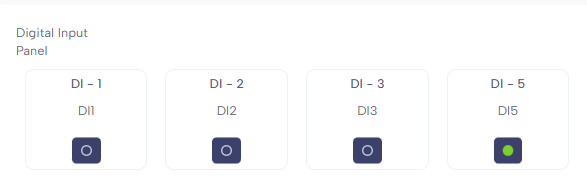
In NiryoStudio, open Inputs/Outputs and monitor DI5.
Speaker notes:
“This is the IR sensor. It detects when an object passes in front of it.”
(Show in the Inputs/Outputs tab) “Right now, DI5 is showing as HIGH. When I place an object in front of the sensor…” (Place object) “…you see that it changes to LOW.”
“So HIGH means no object detected, and LOW means an object is detected.”