


Presenter's guideline - WS4 : Variables management
Completion requirements
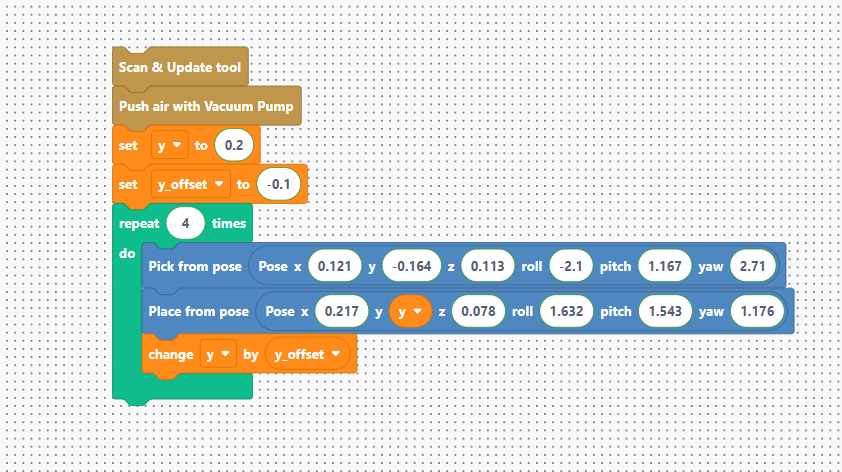
Step 8: Full Example – Robot Shelf Placement
Action:
- Walk through the initialization of y and y_offset (-0.1).
- Show how the y variable is plugged into the Place block.
- Explain the logic of change y by y_offset at the end of the loop.
Speaker Notes:
"Let’s look at the master program. We start by setting our starting position at 0.2 (or custom valid position) and our gap at -0.1. Inside the loop, the robot picks an item. Then, it places it at whatever value is inside the 'y' box. Before the loop repeats, it changes 'y' by the offset, shifting the next placement by 10 cm. One block now handles four different positions dynamically! "