


Presenter's guideline - WS3 : Final Quality Check with Vision
Completion requirements
🎯Simulate a real-world quality control station. Participants will use the robot’s vision system to sort objects by color and shape as they arrive on the conveyor.
⏱️2 hours
Step 2: Demonstrate Vision Parameters
Action:
-
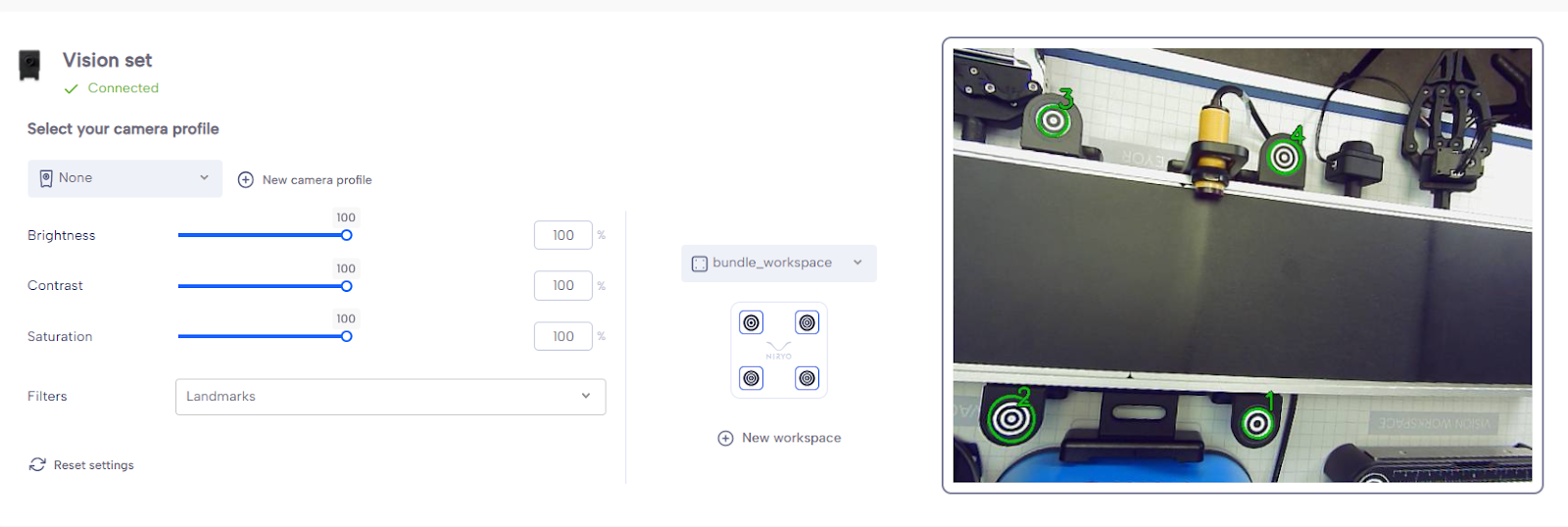
On the equipment tab of Niryotudio, show the vision workspace with the camera.
-
Place 3 objects of different colors on it.
-
Adjust Brightness, Contrast, and Saturation.
-
Try the different filters.
Speaker notes:
“Let’s start by looking at the vision system. I’ll place three different objects here so we can see how the camera picks them up.”
“We can adjust Brightness, Contrast, and Saturation to make the detection more reliable depending on the lighting conditions.”
“Here are the filters — they help refine object detection by focusing on specific characteristics.”