STEP 2: Create guest sessions
Objective: Allow students to access NiryoStudio without the need to create an account.
Your students do not necessarily need to create themselves an account on NiryoStudio. They can use the guest session login.
💡What about their saved programs, positions, trajectories, etc.?
You can choose to save anything either on your local file or on the robot SD card. This is not linked to the account you logged in with.
-
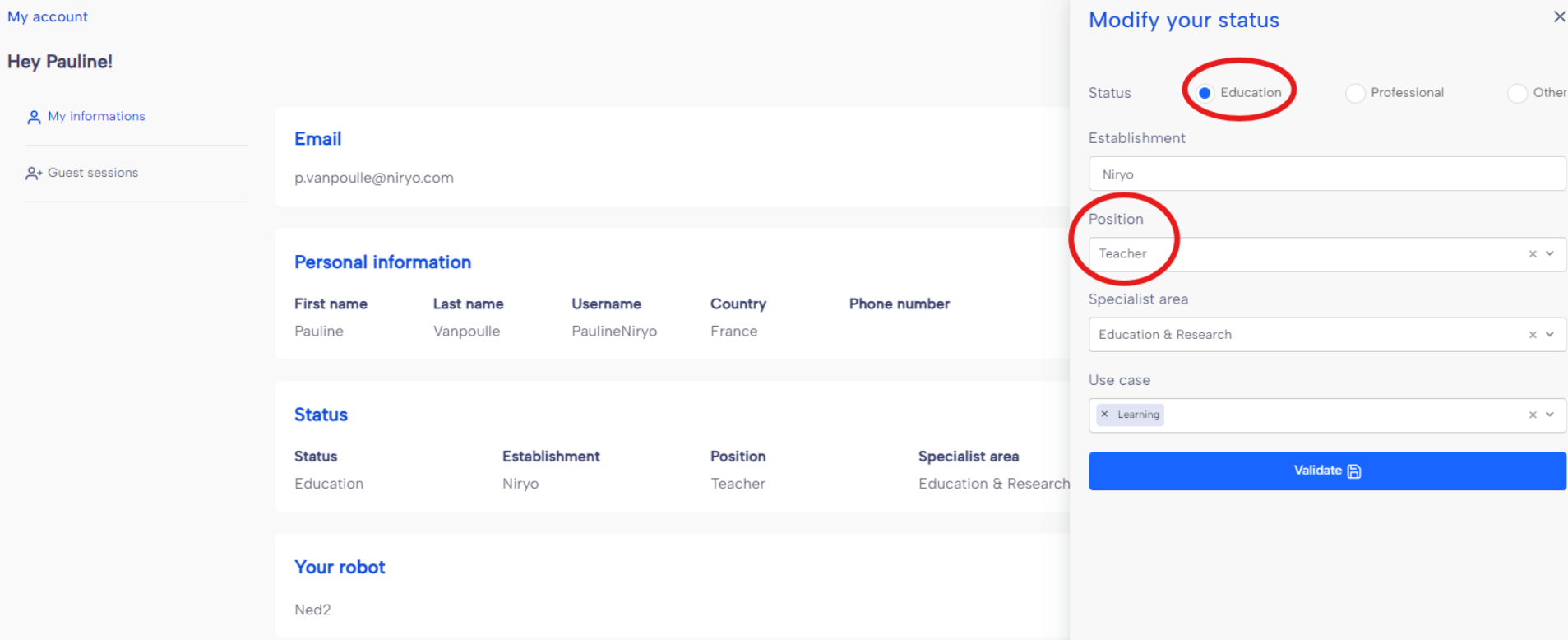
Log in to NiryoStudio with your personal account. If you haven't done so already, set your account to Status: Education and Position: Teacher.
-
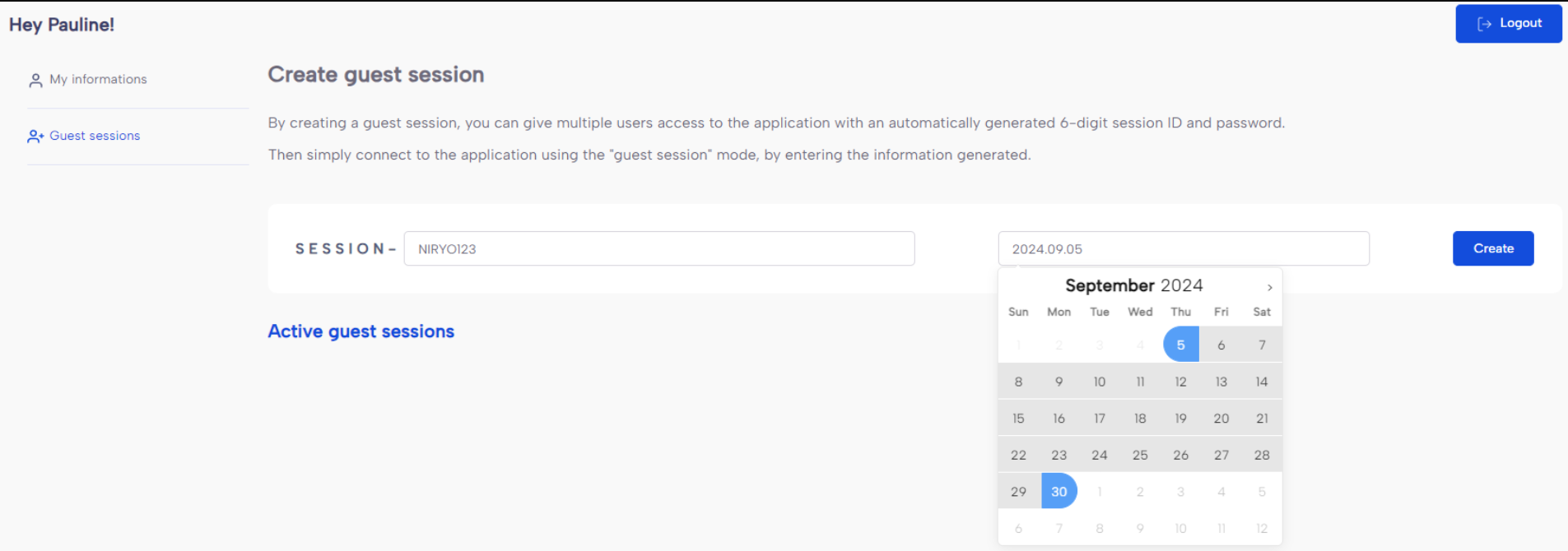
On the left panel, you can now access the Guest Sessions section. Fill in the required information to generate your first guest session tokens. You can also select the validity duration for the tokens.
-
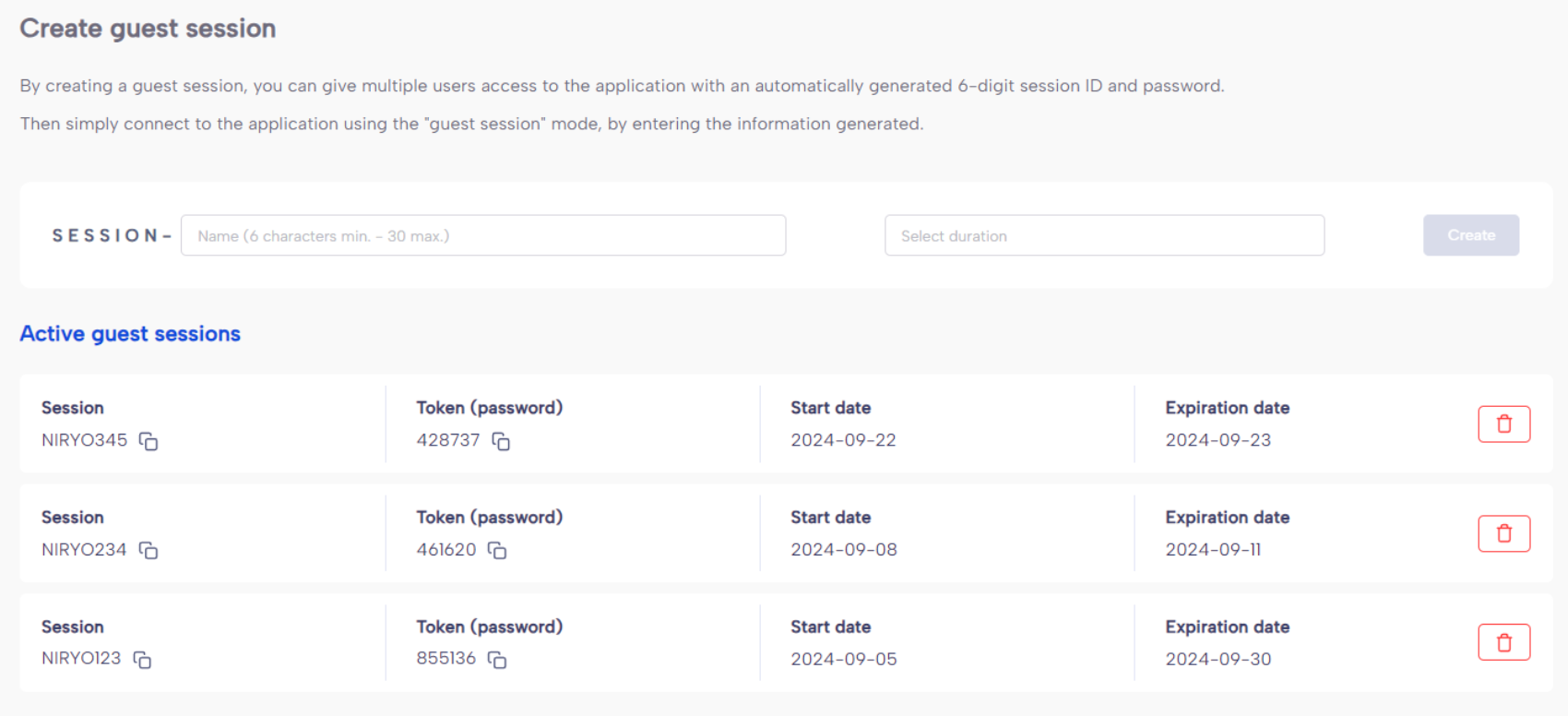
You can now manage the created guest sessions.
-
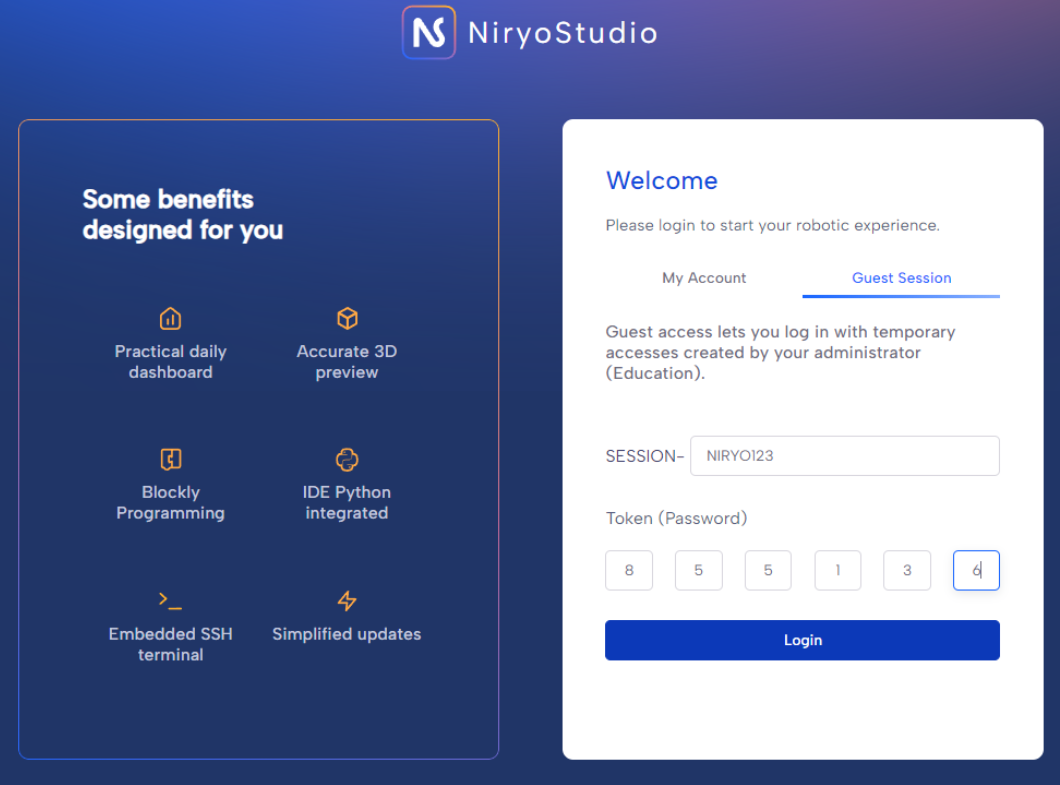
Share the name of the session and the 6-digit token with your students. They can now log in using the Guest Session option.